Content Gap Analysis: How to Find and Fix Missing Coverage
Content gap analysis explained: the six gap types to audit, how to map AI prompt results to content updates, and how to prioritize fixes.
The usual advice is to export the keywords your competitors rank for, publish the posts you lack, and treat the audit as finished. That advice fails buyers. A page can sit on the right keyword and still leave out the use case, the integration steps, the comparison, or the proof an assistant needs before it will cite you, name you, or recommend you. Content gap analysis is the check that separates those outcomes instead of counting missing keywords.
Table of Contents
- What Content Gap Analysis Means in Plain Terms
- Six Gap Types Every Audit Should Check
- Why Gaps Now Matter for Search and AI Answers
- How to Run a Gap Audit, Step by Step
- Mapping Prompt-Level Gaps to Content Updates
- Prioritizing Fixes When Your Team Is Stretched
- A Worked Fix and the First Two Weeks
What Content Gap Analysis Means in Plain Terms
Picture a shop owner on a ladder, comparing a competitor's stocked shelves with his own empty ones. He is not only counting what sells. He is noting the items customers expect and cannot find.
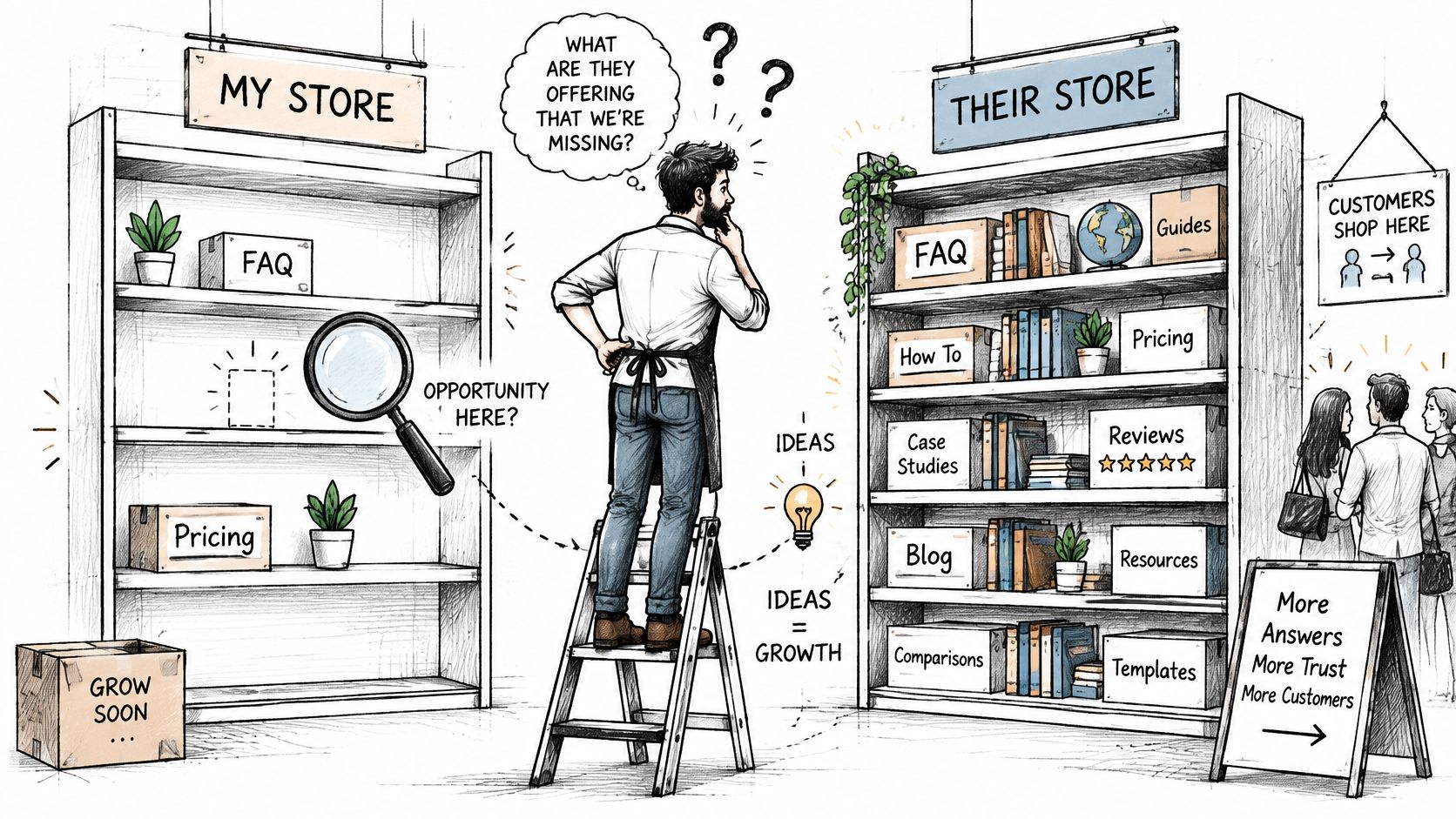
Content gap analysis is a comparison of your existing pages against the questions, subtopics, use cases, and proof points that buyers and competing pages already cover, so you can see what is absent or weak.
A keyword list only shows what people type. A gap analysis shows what your pages fail to answer after someone lands, or after an assistant tries to reuse them. The comparison draws on three sources.
- Your inventory: URLs, headings, dates, and the claims each page makes.
- Competitor ranking pages: the pages that already satisfy the same topic.
- Cited URLs: the sources AI assistants use when they answer a buyer question.
A 2024 Search Engine Journal analysis examined approximately 260,000 Google search results and judged thorough content coverage, meaning how fully a page treats its subject rather than how often it repeats a keyword. For a SaaS team, the missing piece is often an absent use case, an integration explanation, a comparison, an implementation detail, or a proof point.
A gap is ready for a brief when you can name the missing buyer need, the page that should carry it, and the evidence that page still lacks.
Six Gap Types Every Audit Should Check
Use six types as the vocabulary for every finding. The type decides the fix later, so tag it before you argue about priority. A URL can exist and still be a gap when the page is thin, outdated, or unsupported.
| Gap type | SaaS example | Where to check | Confirming signal |
|---|---|---|---|
| Topic | No page on SOC 2 compliance for a billing tool | Competitor site architecture and ranking pages | Competitors rank with pages you lack |
| Question | Buyers ask whether the tool supports annual invoicing | Buyer-intent prompts and AI answers | An assistant answers with a competitor's page |
| Use case | No guide for agencies managing several client accounts | Sales call notes and support tickets | Prospects repeatedly describe the same job |
| Integration | CRM connection steps are missing | Support and onboarding docs | Tickets ask for the same connection steps |
| Proof | No benchmark, customer result, or pricing constraint | Cited source URLs in AI answers | Assistants cite reviews or docs instead of your product |
| Format | No side-by-side comparison against a named alternative | Competitor comparison pages | Assistants answer comparison prompts with someone else's table |
How each type shows up
Topic gaps are architectural. A billing product with no SOC 2 page has nothing for a security reviewer to land on, and nothing an assistant can quote.
Question gaps are narrower. Annual invoicing may be a feature you already ship, yet no heading answers the buyer's wording, so the assistant borrows a competitor page.
Use-case gaps hide in sales calls and tickets. When agencies keep describing multi-client work and your docs only show a single workspace, the job is uncovered even if the feature exists.
Integration gaps are procedural. Missing CRM connection steps produce the same ticket over and over, and assistants prefer the help article that lists the clicks.
Proof gaps are why a correct page still loses. Without a benchmark, a customer result, or a pricing constraint, reviewers and docs from other companies become the evidence.
Format gaps are structural. A named alternative needs a table, not another paragraph of features. If a competitor already published that table, comparison prompts will use it.
Check competitor headings, buyer-intent prompt answers, call notes, tickets, and the URLs assistants cite. If you can name the type, the page, and the evidence, log the gap.
Why Gaps Now Matter for Search and AI Answers
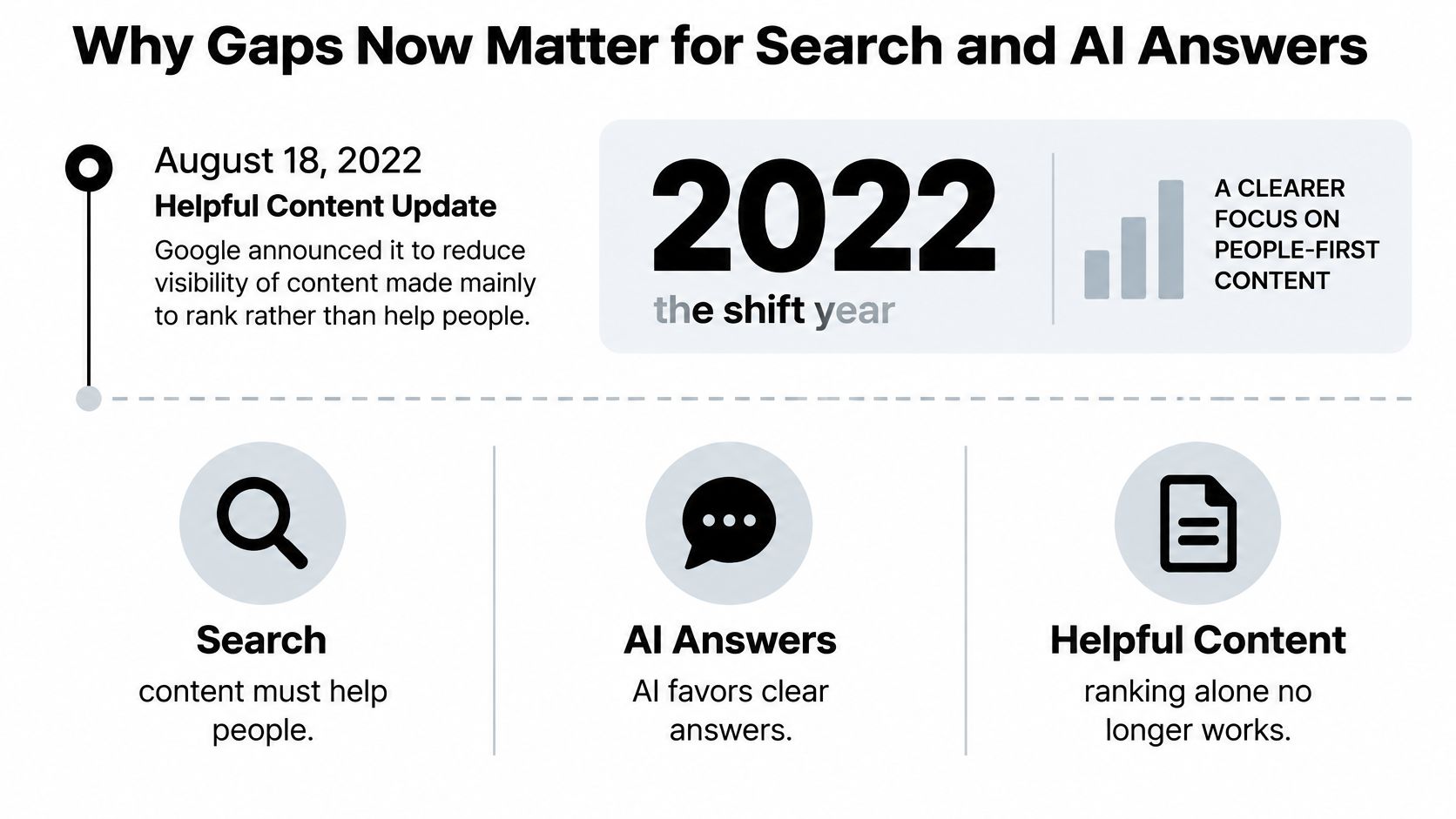
On August 18, 2022, Google announced the Helpful Content Update to reduce the visibility of content created mainly to rank rather than to help or inform people. Testing pointed to expected gains in online education, arts and entertainment, shopping, and technology. Usefulness and originality became the test, so a larger page count stopped being a strategy.
Search rankings are no longer the only shelf. A Semrush study of AI Overviews tracked how often those summaries appeared.
| Measure | Period | Share |
|---|---|---|
| Tracked keywords | January 2025 | 6.49% |
| Tracked keywords | July 2025 | 24.61% |
| Tracked keywords | November 2025 | 15.69% |
| Commercial queries | January to November 2025 | 8.15% to 18.57% |
| Transactional queries | January to November 2025 | 1.98% to 13.94% |
What the shares change
The share of tracked keywords rose from 6.49% in January 2025 to 24.61% in July, then fell to 15.69% in November. Over that span, commercial queries moved from 8.15% to 18.57%, and transactional queries from 1.98% to 13.94%. Buying questions, not only explainers, now sit inside generated answers.
A conventional audit can crown a high-ranking competitor page and miss the harder test. Does your page offer extractable evidence, a clear answer, product context, and sources an assistant can reuse? Broader coverage is not automatically better. A page stuffed with keywords stays invisible in the answer when claims are ambiguous, poorly structured, outdated, or unsourced.
Judge a gap by whether it changes the answer a buyer reads, not only by whether your URL ranks.
Add an AI-answer layer to the audit. Compare brand inclusion, how often you are cited, which source types win, factual accuracy, and how the answer sounds, across buyer-intent prompts and the assistants you sell against. Pair that with work to increase Google search visibility, because a strong organic page and a citable answer are different jobs. The output is a map of missing evidence and answer formats, not another topic list.
How to Run a Gap Audit, Step by Step
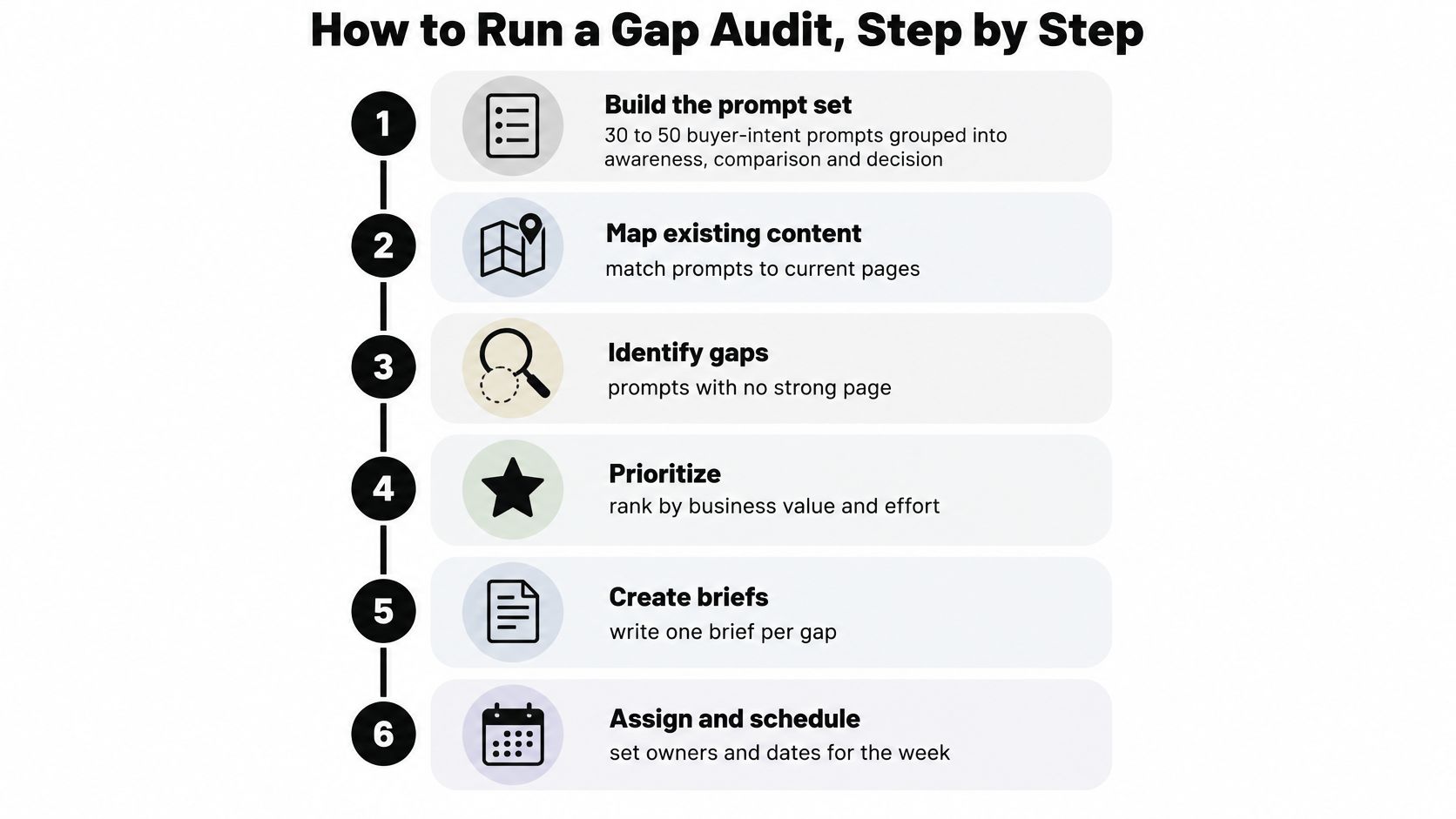
Run one audit as six outputs you can finish in a week. Each step ends with a file someone else can open.
The six outputs
- Build the prompt set. Write 30 to 50 buyer-intent prompts and tag them awareness, comparison, or purchase. Output: a tagged prompt list. Steal wording from calls, not from a keyword export.
- Inventory your pages. Export URLs, titles, main headings, last-updated dates, and word counts, and flag thin or stale pages. Output: a page list. A short afternoon pass, like this content audit guide for editors, is enough to spot pages that look complete and aren't.
- Collect the benchmark set. For each topic, save the top five to ten ranking pages plus the URLs cited in AI answers to the same prompts. Output: a benchmark sheet.
- Map subtopics. List headings and questions each benchmark covers, mark what you lack, and tag one of the six gap types. Output: a gap list.
- Record AI outcomes. For every prompt, note whether your brand is cited, explicitly mentioned, or recommended, at what position, and how the answer sounds. A visibility score describes only the responses collected for the selected prompts, providers, and reporting period, not every AI search. Provider checks are API checks. They do not reproduce every consumer app, and they do not track Google AI Overviews, Google AI Mode, or Microsoft Copilot, so write the surfaces your sheet covers on the sheet itself.
- Log the backlog. Each row needs a type, the evidence, the prompt, and the page to change. Output: an owned backlog.
What finished looks like
A finished audit is not a slide of missing keywords. It is a backlog where every row has a type, a source, and an owner. If a row cannot name the prompt it came from, it is a hunch, and hunches clog the sprint.
State the limits next to the numbers. A score built on 40 prompts across two providers in one month is a sample of those answers. It is not a market share figure, and it will not match what a buyer sees in a consumer app you did not query. Teams that skip that note later argue about a drop that was only a change in which prompts they tracked.
When you are ready to repeat the sample on a schedule, an AI search audit is the place to keep prompts, providers, and dates in one pass instead of rebuilding the sheet from chat logs.
Mapping Prompt-Level Gaps to Content Updates
Each prompt result should become one edit, not a rewrite of the whole site. Separate four outcomes before you touch the page. Source citation means your URL is used as evidence. An explicit brand mention means your name appears. A recommendation carries a position. An attributable visit is the session you can tie back after the answer.
Keep the metrics short. Visibility is the share of tracked answers where your brand appears. Position is the average rank when your brand is recommended. Sentiment measures how positive the responses sound around your product.
A citation and a visit are different wins, and they fail independently. Pew Research Center found that users ended their browsing session on 26% of Google pages with an AI summary versus 16% of pages with traditional results. An assistant can quote your page while the click never arrives, or send a session from a page it would not use as evidence. Track both columns in the backlog, or you will celebrate a quote that never becomes a qualified visit.
| Prompt outcome | Likely content gap | Update to make | Metric to recheck |
|---|---|---|---|
| Brand absent, competitor cited | No page answers the prompt directly | Add a page or section that answers the prompt's wording with evidence | Visibility and citation |
| Brand mentioned, not recommended | Claims are vague or unsupported | Add a named comparison and dated figures | Recommendation |
| Brand cited at low position | No clear answer near the top, or the page is outdated | Add a direct answer block and refresh the date and data | Position |
| Brand cited, no visits | The page answers but gives no next step | Add a use-case or pricing-constraint section and a clear next step | Attributable visits |
| Sentiment negative | A known limit is documented without a fix | Publish the fix, workaround, or honest trade-off | Sentiment |
One row, one change
Say the prompt is "best billing tool for agencies that invoice annually." The assistant cites a competitor and never names you. That row is not a call for a new blog category. It is a missing section that uses the buyer's words, plus a dated constraint on annual plans.
If you are named but not recommended, vague claims are the gap. A named comparison with figures you can date is the update, and the metric to recheck is recommendation, not traffic. If you are cited but nobody arrives, the answer did its job and the page did not: the missing piece is a next step, and the metric to recheck is attributable visits. The table tells you which column moved, and that column decides what you write.
Build the prompt list from real buyer language. A starting set of buyer-intent prompt examples can be retagged by stage before you log anything. Then record the mapped update beside its prompt so the next cycle rechecks the same wording, the same provider, and the same metric.
Prioritizing Fixes When Your Team Is Stretched
Demand is already ahead of many teams. In 2025, 95% of marketing leaders reported rising content demand, while only 14% felt completely confident they could keep up, according to the 2025 Typeface Signal Report. The useful response is fewer updates, each one backed by evidence you can publish, not a longer backlog.
Score every gap on five criteria before you rank it.
- Buyer stage: awareness, comparison, or purchase.
- Brand outcome: absent, mentioned, cited, or recommended.
- Page you can extend: an existing URL versus a net-new one.
- Evidence in hand: data, a customer result, or a pricing limit you are allowed to state.
- Cost to ship: writing time plus legal or product review.
| Priority tier | Qualifying criteria | Example fix | Target timing |
|---|---|---|---|
| Tier 1 | Buyer-stage prompt, brand absent or at a low position, existing page can be extended | Add a pricing-constraint section to an existing comparison page | Within 2 weeks |
| Tier 2 | Comparison or purchase prompt with no page | New comparison page against a named alternative, with sourced proof | Within 1 to 2 months |
| Tier 3 | Awareness prompt where competitors are cited | Explainer that defines the category and links to evidence | Next quarter |
| Tier 4 | No buyer demand, or no evidence you can publish | Log the gap and revisit when new data exists | Review each quarter |
The tie-break
Tier 1 wins because the page, the prompt, and the evidence already exist. You are filling a hole a buyer is hitting this month. Tier 2 is a new URL, so it waits on proof you can stand behind. Tier 3 explains a category competitors already own. It helps later and rarely changes this quarter's shortlist. Tier 4 is a note, not a draft. Publishing without evidence creates a page assistants should ignore.
When two gaps score the same, fix the one that changes a purchase decision before the one that only adds a definition.
Fold the tiers into your existing SEO recommendations so content, technical, and on-page work share one queue. A definition page with no buyer behind it does not jump a pricing section that would change who gets recommended.
A Worked Fix and the First Two Weeks
A project management product kept losing one prompt. Buyers asked which tool works best for agencies that need client portals. The assistant used a competitor comparison page, mentioned the product, and did not recommend it.
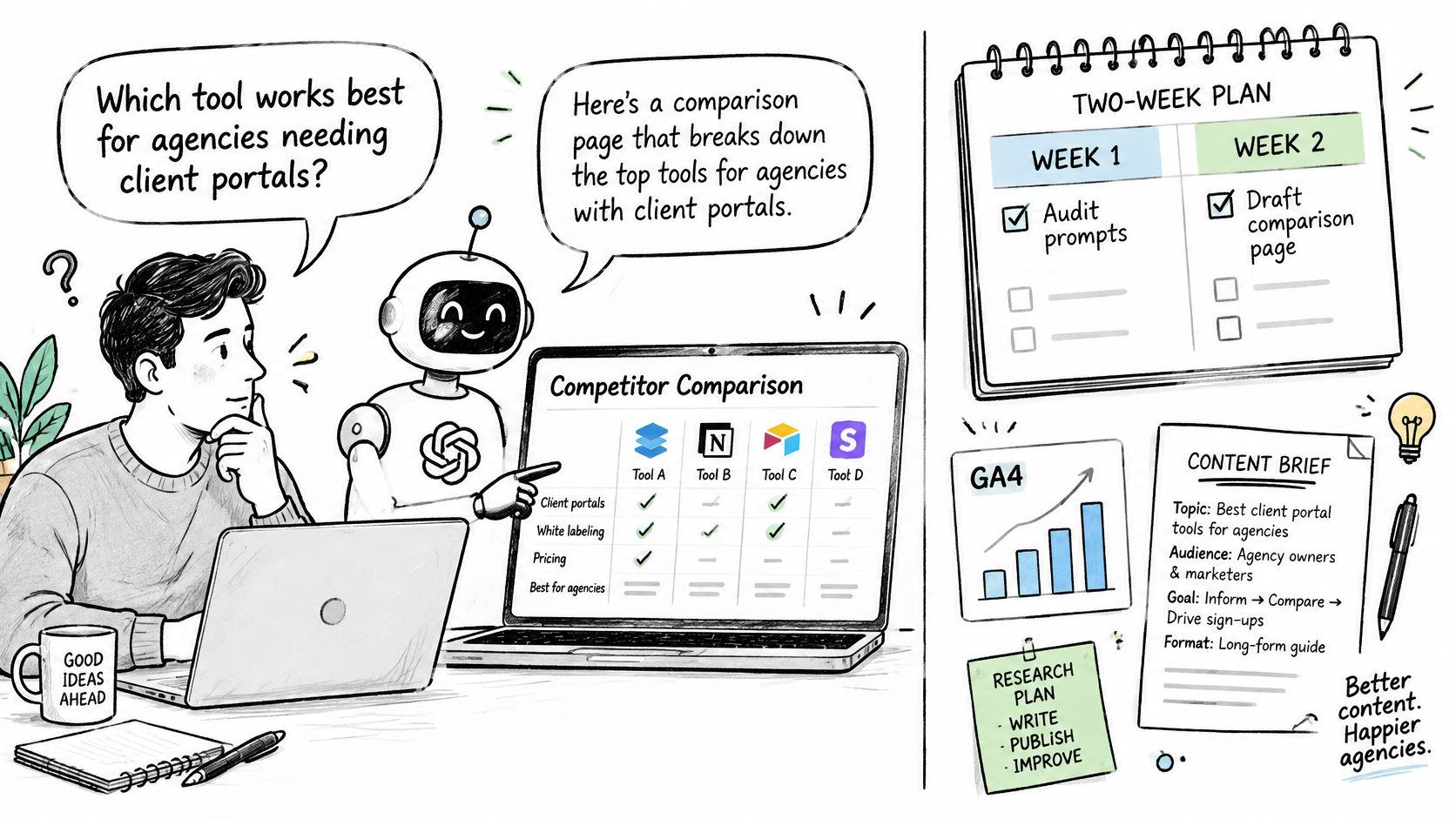
The audit logged three gaps on one URL. A question gap, because nothing explained client portals in the buyer's words. A proof gap, because there was no dated benchmark or customer result. A format gap, because there was no side-by-side against a named alternative. The team did not open a new article. They extended the existing comparison page with a client-portal section, setup steps, a dated benchmark and its method, and an honest limit on permission controls.
Three traps sit next to that fix. Chasing one head keyword while the prompt is a job-to-be-done. Leaving a thin page alone because it already ranks. Publishing a stronger claim before you recheck the same prompt.
The first two weeks
- Pick 20 buyer-intent prompts tied to revenue, not to search volume.
- Tag each gap with its type and its tier before anyone drafts.
- Ship two Tier 1 updates. Each one needs evidence and a dated section.
- Recheck those prompts after 30 days for citation, mention, and position.
- Repeat the same set each quarter so movement is comparable.
MyMentions tracks how assistants mention, rank, and describe a product across buyer prompts, and it monitors visibility, position, sentiment, competitors, citations, recommendations, and AI-driven traffic in one workspace. Pro and Enterprise plans include citation source analysis, which reviews the source URLs returned with answers alongside brand mentions, plus site, content, and UX recommendations. Those recommendations are suggestions to investigate. They do not guarantee that a change will increase mentions, so judge each edit by its own recheck. For the writing side of those edits, start with AI content optimization and keep the prompt, the metric, and the date on the same row.
The short video below walks through how a comparison page gets read as evidence, which is the standard those two Tier 1 updates should meet.
Today, export the buyer prompts you already hear in sales calls and tag each one with its stage. Two sourced sections on pages you already have will tell you more than a quarter of new posts with nothing an assistant can quote.
MyMentions turns buyer prompts into a record of whether assistants cite, mention, and recommend your product, then lines that record up with the pages you can change. If you want that gap list in one workspace instead of a scattered set of chat logs, visit MyMentions and run your first prompt set against the competitors buyers already name.